MailSite 10.5 adds an Exchange Web Services (EWS) server, a new ExpressPro experience with full text search, a new ActiveSync (EAS) server for mobile sync, new IMAP and SMTP services, stronger filtering, improved compatibility, and simpler deployment without Windows Internet Information Services (IIS).

MailSite 10.5 is a major release focused on daily user priorities: Better client compatibility, better webmail, better search, better mobile sync, stronger mail flow, and a cleaner operating model.
This release also represents a broad modernization of the MailSite platform. The core MailSite programs have been rewritten using a modern technology stack, with a practical results: MailSite 10.5 is easier to deploy, easier to operate, and better prepared for the future.
NEW EWS Support with Mac Mail and Thunderbird
An Exchange Web Services (EWS) server is one of the biggest additions in MailSite 10.5.
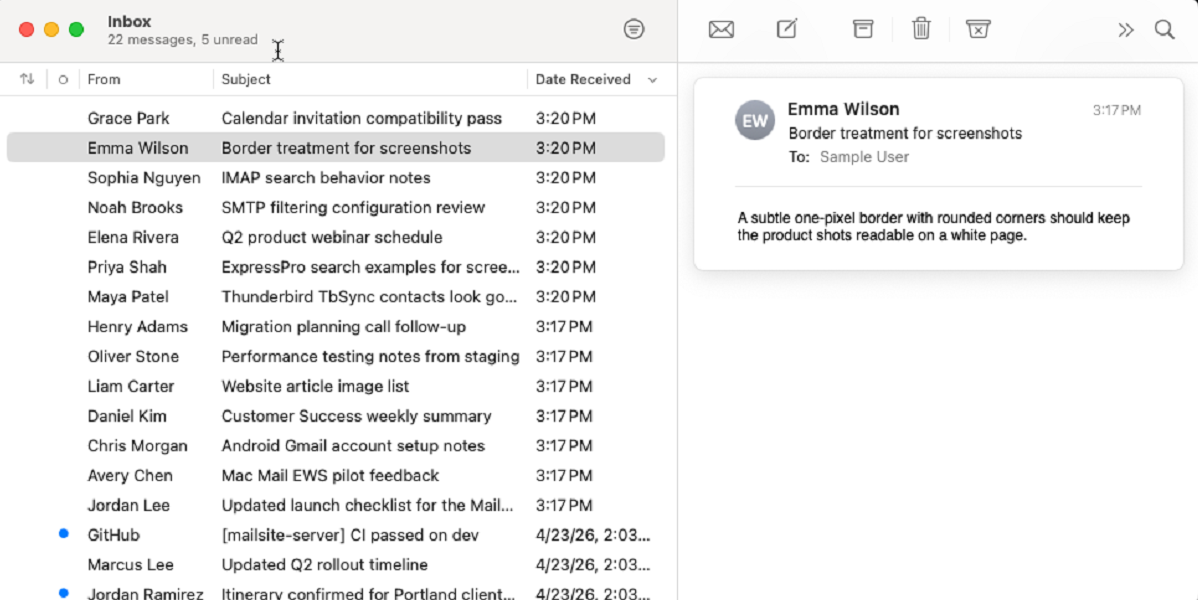
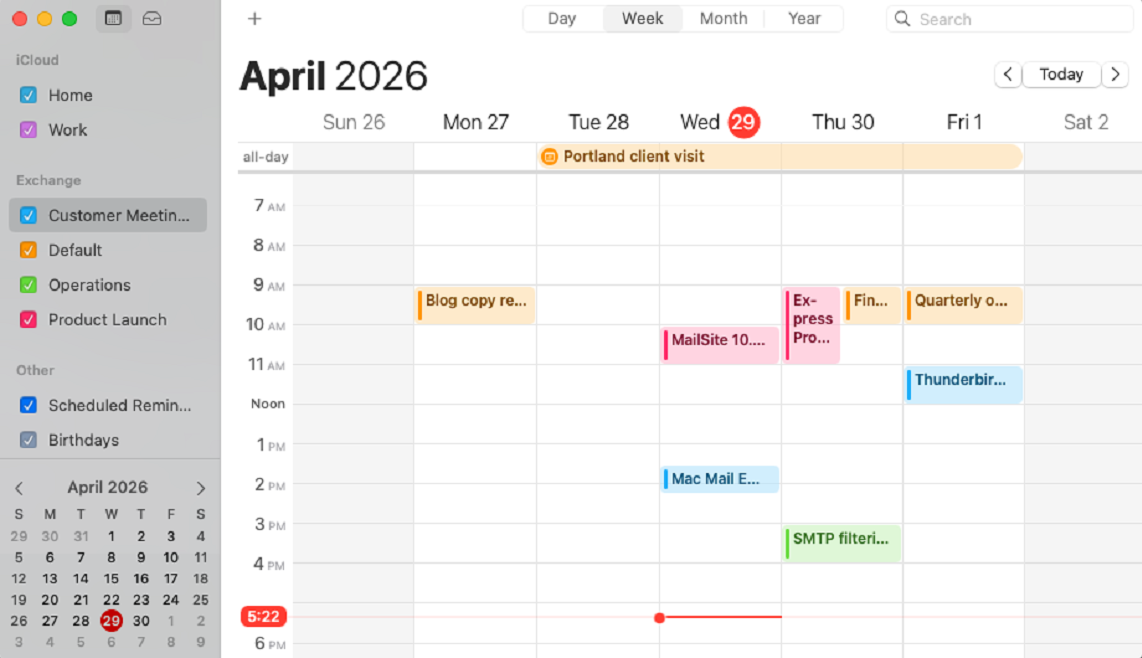
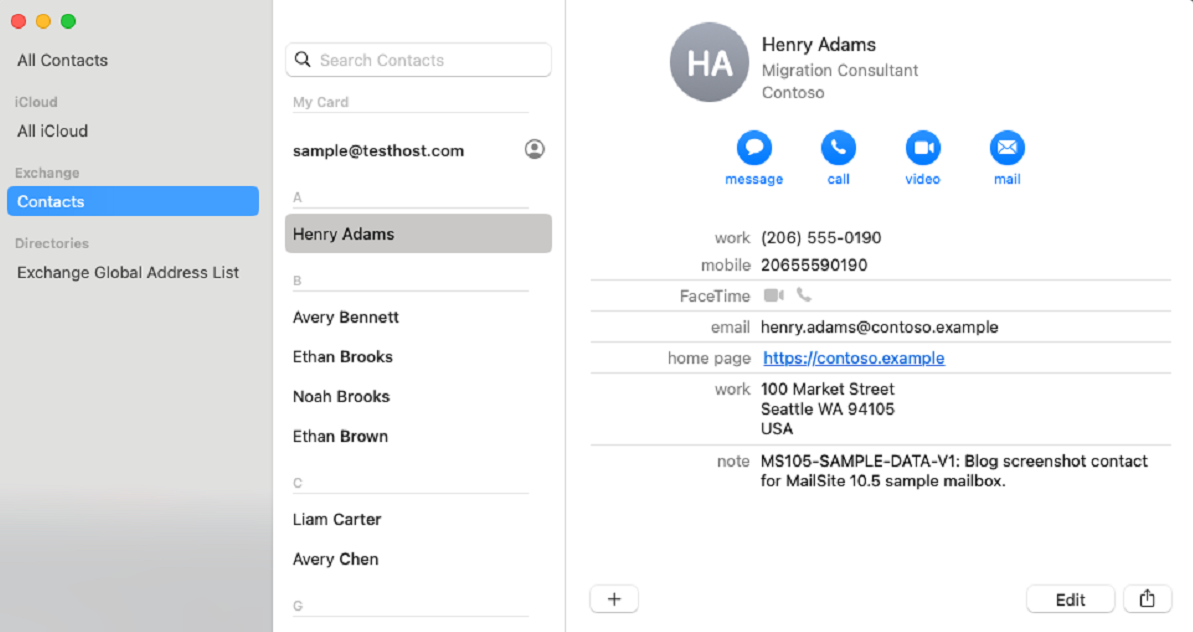
EWS gives MailSite a stronger compatibility story for modern desktop clients and mixed-device environments. Mac Mail can connect using the EWS protocol to sync email, calendars and contacts, giving MailSite a better fit in organizations that depend on native desktop mail, contacts, and calendar workflows.
For organizations, this means MailSite can better fit into more existing environments without requiring users to change apps. Email, folders, contacts, and calendar workflows can now be supported across a broader range of clients.
Mac Mail connected to MailSite as an Exchange account.
Mac Calendar synced with MailSite calendar via the Exchange Web Services server.
Mac Contacts synced with MailSite contacts via the Exchange Web Services server.
NEW ExpressPro with Full Text Search
ExpressPro has been rewritten to deliver a more modern email, contacts, calendar, settings, and administration experience.
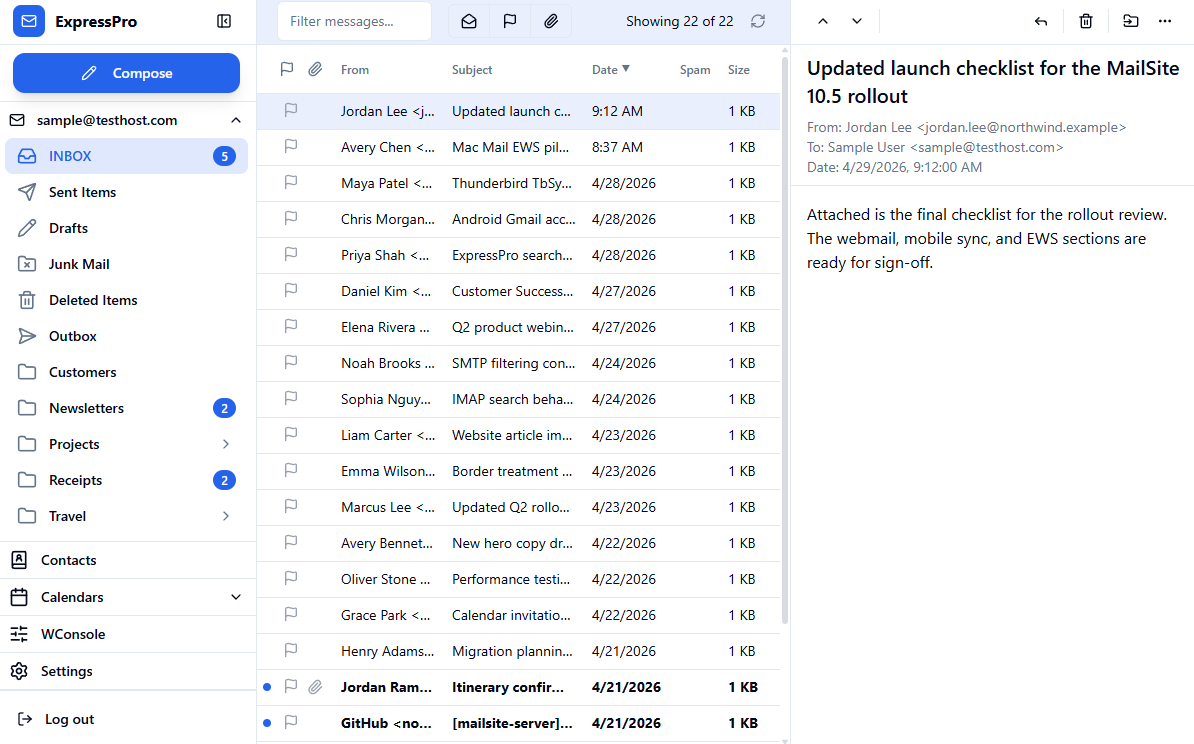
The new ExpressPro is cleaner, faster to navigate, and more consistent across the product. It gives users a stronger everyday webmail experience with a practical three-pane mail layout, improved browsing, better folders, modern themes, and full text search for finding data quickly.
ExpressPro inbox view with folders, message list, and message preview.
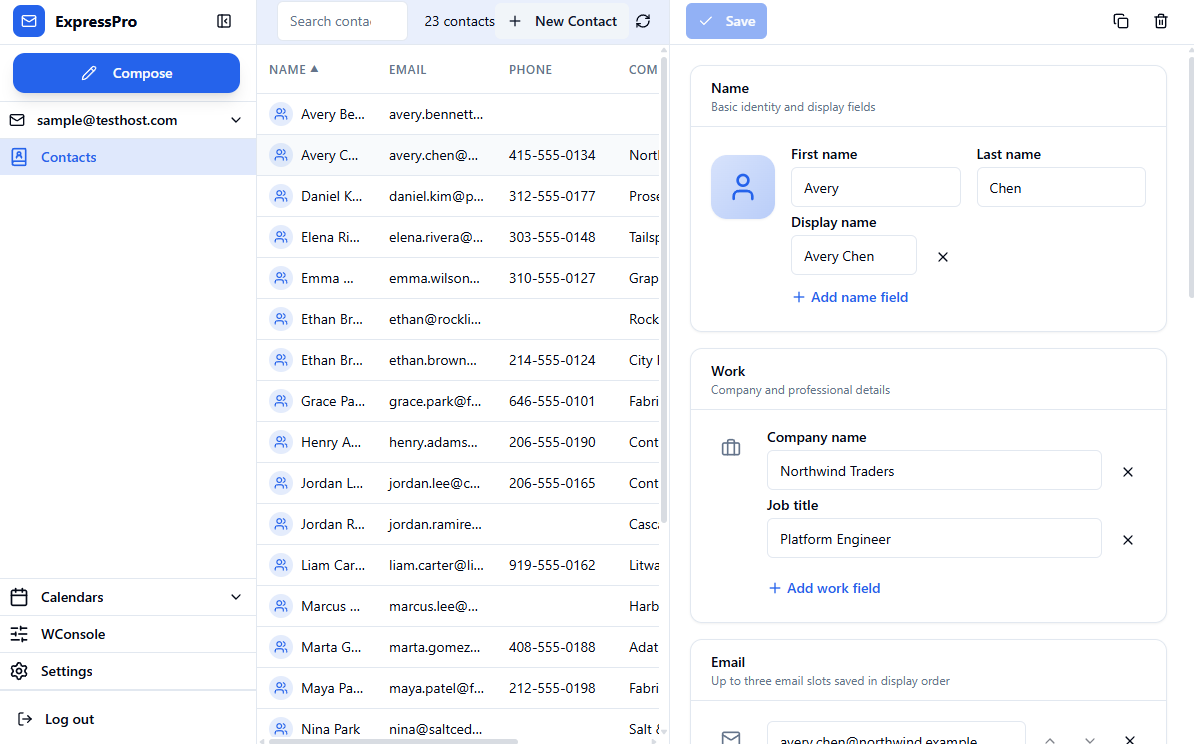
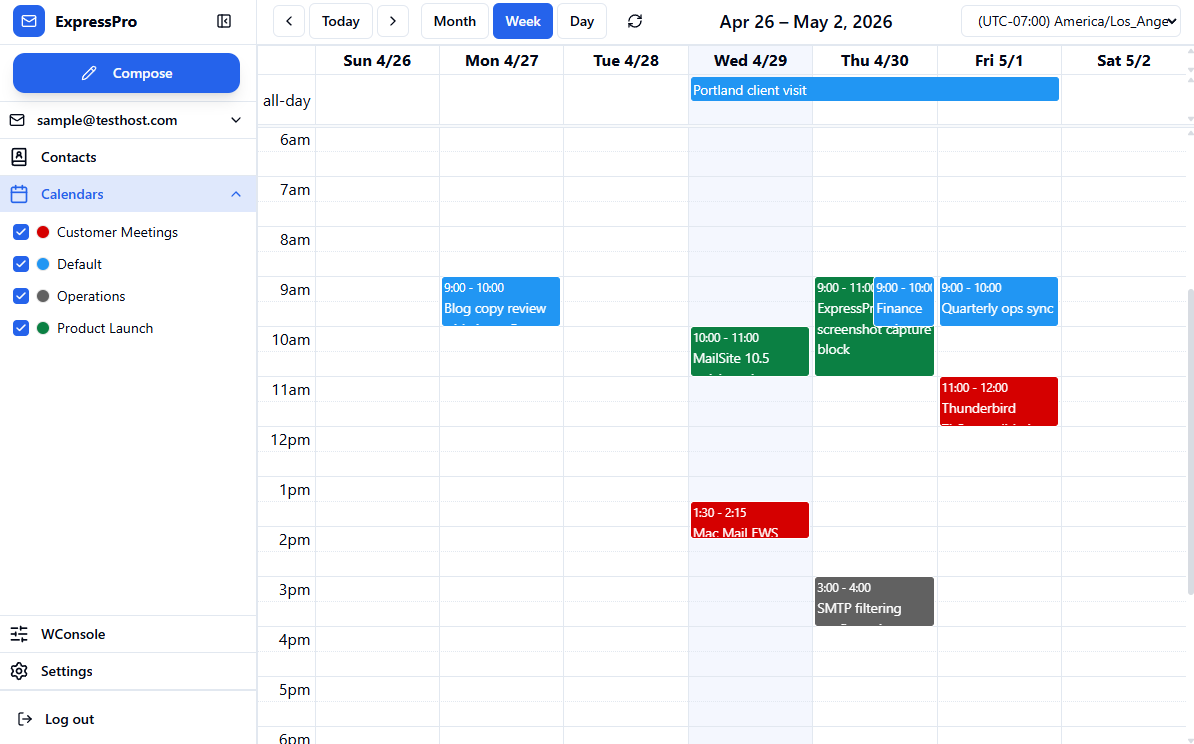
Contacts and calendars now feel like part of the same application instead of separate components. The result is a more cohesive experience for users who move between email, scheduling, contacts, and settings during the day.
ExpressPro contacts view using the sample mailbox contact set, with a contact selected for detail editing.
ExpressPro calendar week view with events from multiple MailSite calendars.
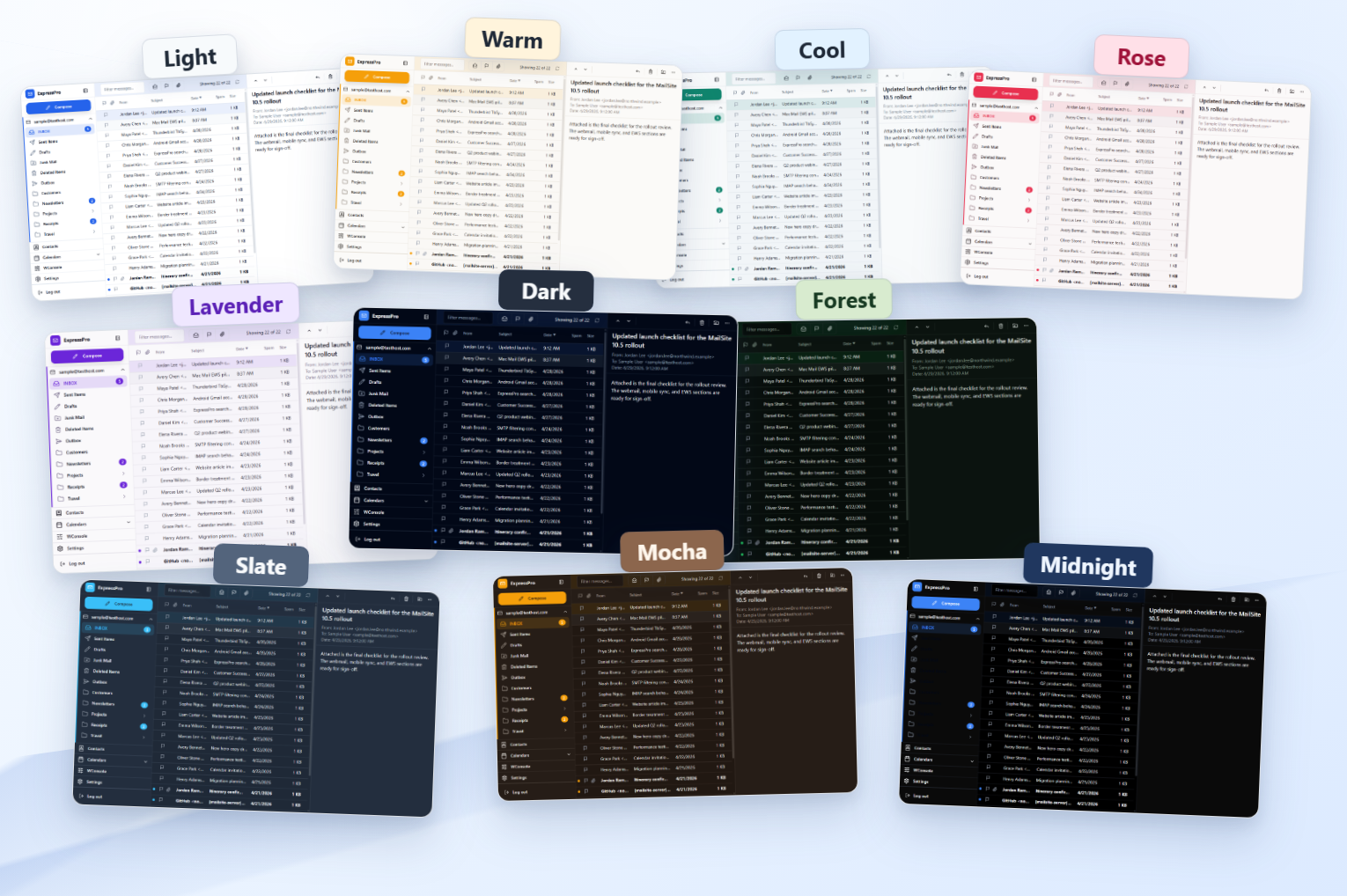
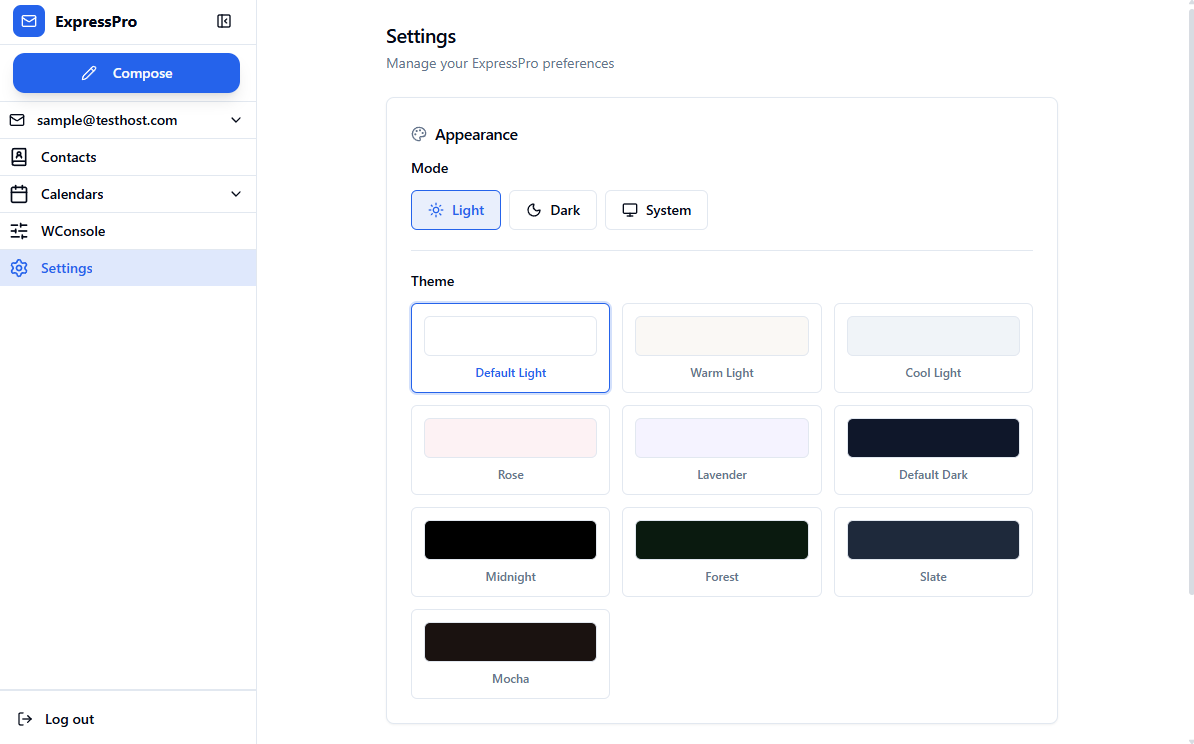
The updated interface also includes appearance options and theme support, giving ExpressPro a more polished visual range while keeping the product familiar.
ExpressPro theme showcase using real inbox captures across multiple variants.
ExpressPro settings page showing appearance modes and theme variants.
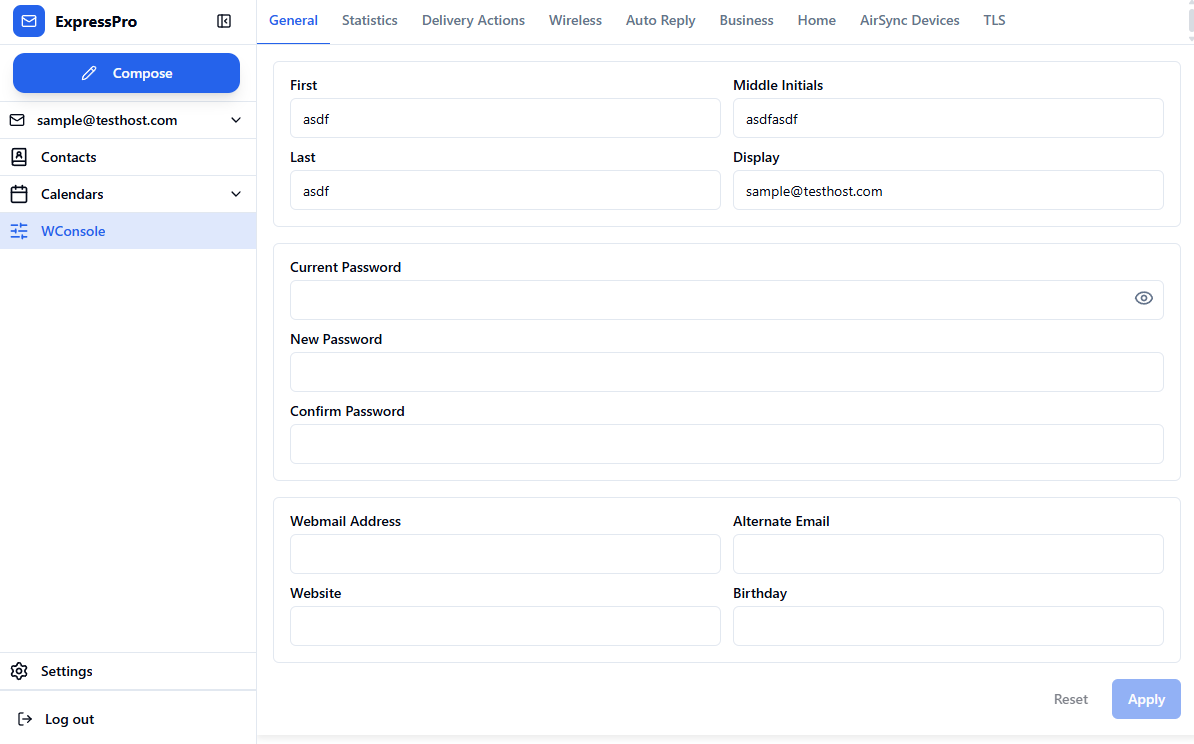
Web-based Administration is included in the new version of ExpressPro. The Web Console (WConsole) mailbox management is now a tab in the updated ExpressPro, giving administrators a more consistent place to manage accounts and mailbox settings.
WConsole running inside the updated ExpressPro environment.
NEW AirSync Server v16.1 for Outlook Classic, iOS Mail and Android Gmail
MailSite 10.5 includes a new AirSync server with protocol support through version 16.1.
This is important for mobile users. iOS Mail and Android Gmail remain two of the most common ways people access business email from phones and tablets, and MailSite 10.5 improves compatibility with those clients.
The new AirSync server improves mobile email, calendar, contacts, folder synchronization, attachment access, and long-running sync behavior. The practical goal is simple: mobile clients should connect, synchronize, and keep working with less friction.
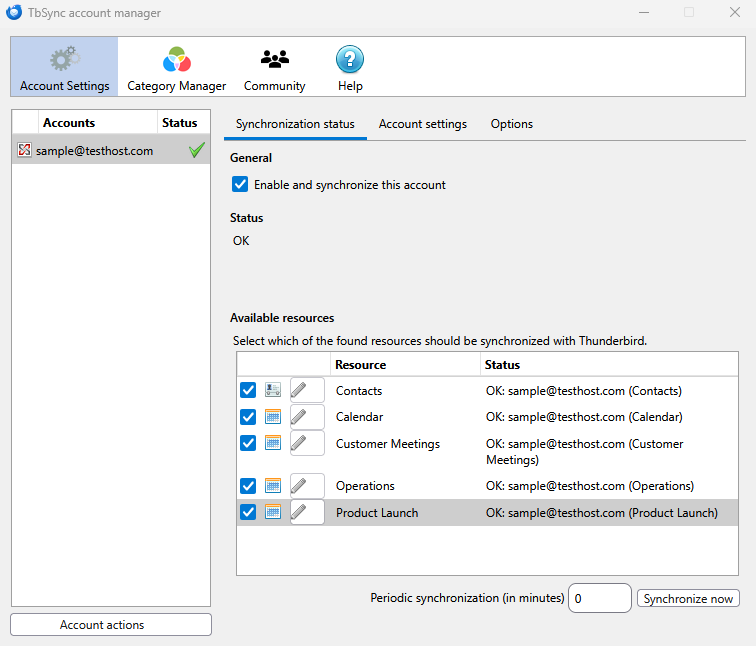
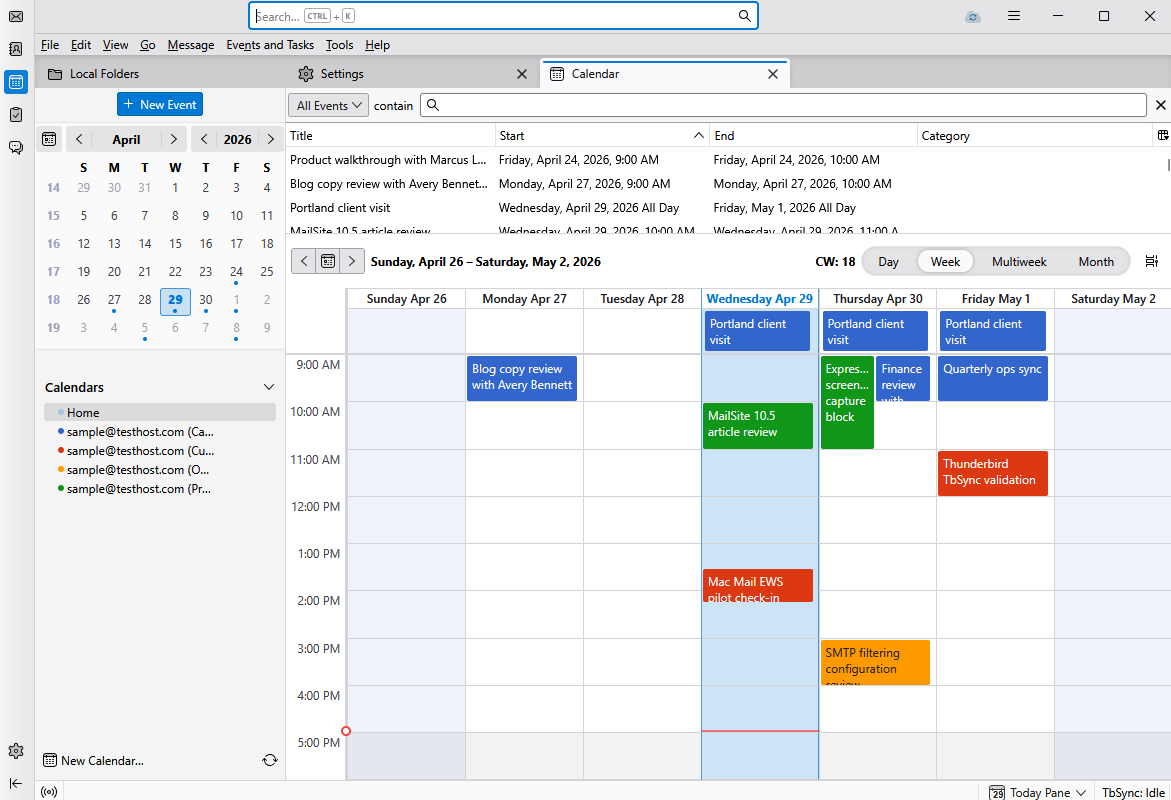
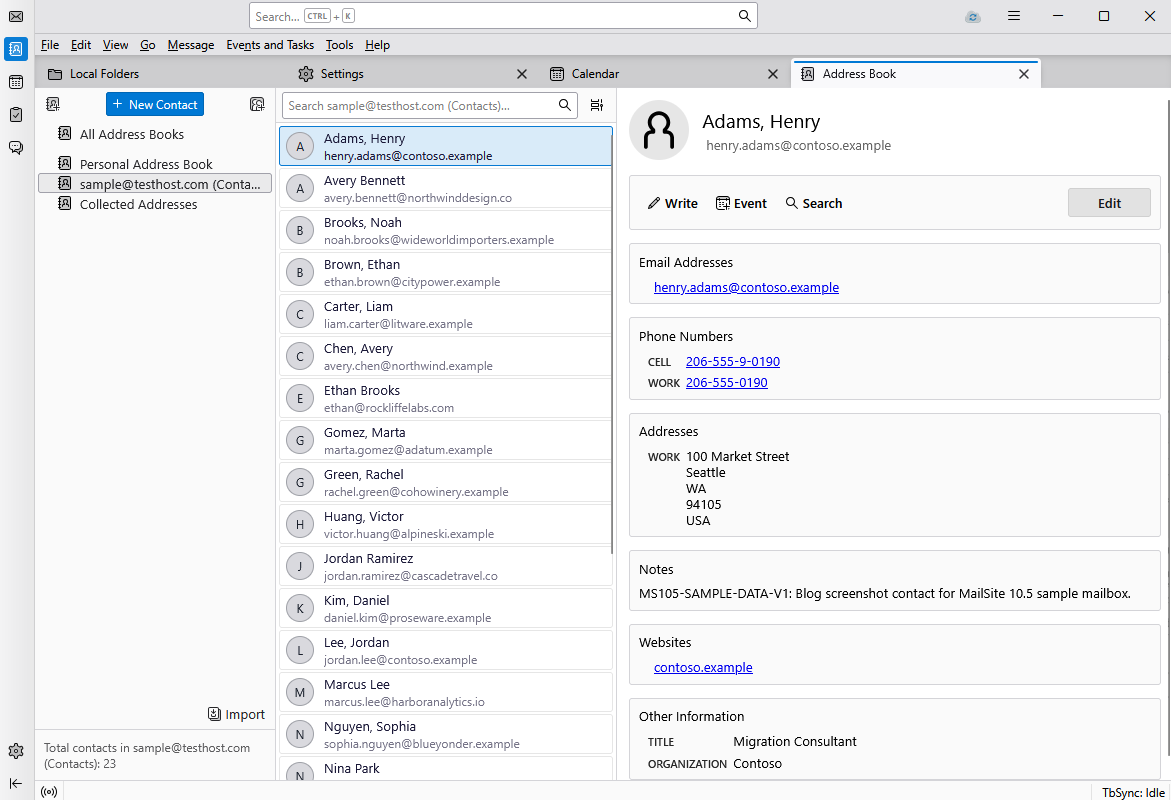
The new AirSync server also improves MailSite's Thunderbird compatibility when combined with TbSync, giving Thunderbird users a practical way to synchronize email, contacts and calendars with MailSite
TbSync account manager showing MailSite contacts and calendar resources synchronized with Thunderbird.
Thunderbird calendar showing MailSite events synchronized with TbSync.
Thunderbird address book showing MailSite contacts synchronized with TbSync.
NEW IMAP Server with Full Text Search and Improved Security
MailSite 10.5 introduces a new IMAP server designed for modern mailbox access, with stronger security, and better search.
IMAP remains important for customers who use a wide range of email clients and automated tools. The new IMAP service improves the everyday compatibility path while adding full text search support so users can find messages more effectively from IMAP-capable clients.
The updated service also improves security around authenticated mailbox access and gives MailSite a stronger foundation for future IMAP improvements.
NEW SMTP Server with Native ClamAV and Bayesian Spam Filter
MailSite 10.5 includes rewritten SMTP services.
The new SMTP receiving and delivery services improve how MailSite accepts, filters, queues, and delivers mail. Native ClamAV integration gives administrators a direct antivirus scanning path, while Bayesian spam filtering helps improve mail classification and reduce unwanted mail.
Together, these changes make the SMTP engines more capable as both an inbound gateway and an outbound delivery system. MailSite 10.5 strengthens the mail-flow path without requiring administrators to stitch together as many external moving parts.
IMPROVED Performance, Compatibility, and Operations
MailSite 10.5 includes broad improvements that do not always show up as one single feature, but matter for daily use.
Mailbox startup, indexing, search, synchronization, client compatibility, logging, diagnostics, and service management have all been improved. These changes help MailSite start more smoothly, respond more predictably, and provide better diagnostic information when administrators need to troubleshoot.
This work is also what ties the release together. MailSite 10.5 is not only a webmail update or a protocol update. It is a platform update that improves how the product behaves across users, clients, and administrators.
REMOVED Dependency on Windows Internet Information Services
MailSite 10.5 removes the dependency on Windows Internet Information Services and moves the web-based services to the new HTTPMA server.
This simplifies deployment and operations. Administrators have fewer platform pieces to configure, maintain, and troubleshoot, as MailSite now provides webmail, API, and sync endpoints through the MailSite service stack itself.
For customers, the benefit is less setup complexity and a cleaner upgrade path.
Preparing for the Future
MailSite 10.5 is a major step forward.
It adds an EWS server for broader desktop-client compatibility, introduces a new ExpressPro with full text search, improves mobile sync with a new AirSync v16.1 server, adds new IMAP and SMTP services, strengthens filtering with ClamAV and Bayesian spam handling, improves reliability and operations, and removes dependency on IIS.
The result is a more modern, more compatible, and more maintainable MailSite platform for both users and administrators.
More Information
Please email support@mailsite.com for more information.